![SALONIQ_Logo-High-Res_darkbg (1) (1).png]](https://faq.saloniq.com/hs-fs/hubfs/SALONIQ_Logo-High-Res_darkbg%20(1)%20(1).png?width=141&height=79&name=SALONIQ_Logo-High-Res_darkbg%20(1)%20(1).png)
Increase turnover - with more clients, spending more, more often.
As we leave winter behind and embrace the warmth of spring, it's the perfect moment to welcome the new season with a revitalised outlook. What better way to start than with our successful Spring SMS campaign, designed to deliver outstanding results for salons just like yours?
Week 1
Week 2
Week 3
Week 4
Week 5
Week 6
Top Tips
Week 1
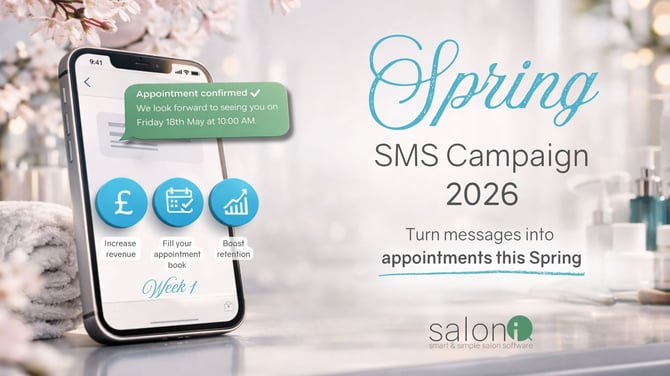
To kick off this year's salon marketing campaign we are going to focus on clients who had their last appointment with you between the 1st September 2025 and 31st December 2025 but have no future booking.
Creating your selection
Menu > Intelligent Marketing > Client selection > Add selection > Blank Template > enter a description (This is for your reference only) Add filter ‘Last visit’ Date Range ‘Custom’ and choose 01/09/2025 to 31/12/2025 > Add filter ‘No future bookings’ > Click ‘Save & Get Client Count.’
🐰WANT US TO RUN YOUR SPRING SMS CAMPAIGN FOR YOU? 💐
We have added some templates for you to use in SalonIQ or you can create your own of course.
Template (Spring Week 1) Example 1
Ready for a Spring refresh? it’s been a little while since we have seen you at <Salon Name>. Call us <Salon Number> or click <book now> to book online
Template (Spring Week 1) Example 2
<Client first name>, We would love to see you this spring at <Salon name>, Call <salon number> to book online
Template (Spring Week 1) Example 3
Your next appointment is due. Get your spring look sorted and book in today:<salon name>. Call <Salon number> or Book online here <book now>
Spring SMS Campaign 2026 – Week 2
Reconnect with more clients and keep building your spring bookings
In Week 2, we’re expanding your reach to clients who haven’t visited at all in 2025, helping you bring more clients back into your diary.
These clients already know your salon, making them a great opportunity to drive additional bookings and increase revenue this spring.
Week 2 - Target clients who visited during 2025 but haven’t rebooked.
This wider audience helps you capture more missed revenue opportunities and continue filling gaps in your appointment book.
Create your selection
Go to: Menu → Intelligent Marketing → Client Selection
Click: Add Selection
Choose: Blank Template
Enter a description (For your reference only, e.g. “Spring W1 – Lapsed Clients”)
Add your filters
Click and select your filters:
Last Visit
Date Range: Custom
From: 01/01/2025
To: 31/12/2025
Add filter: No Future Bookings
Click save and get client count
Create your message, test and select send SMS.
We have added some templates for you to use in SalonIQ or you can create your own of course.
Template (Spring Week 2) Example 1
Spring appointments are filling fast. Don’t miss out, book your next visit with us today. Call us <Salon Number> or click <book now> to book online
Template (Spring Week 2) Example 2
<Client first name>, We would love to see you this spring at <Salon name>, Call <salon number> to book online
Template (Spring Week 2) Example 3
You’re due a little self-care. Refresh your look this spring and book your next appointment today. Call <Salon number> or Book online here <book now>
SEE SOME REAL SALON RESULTS BELOW FROM SPRING 2025
-2.png?width=670&height=377&name=SMS%20Campaign%20Imagery%20(6)-2.png)
Spring SMS Campaign 2026 – Week 3
Reconnect with more clients and keep building your spring bookings
Your highest-value clients are your biggest opportunity this Spring.
Week 3 is focused on reconnecting with clients who spend the most in your salon but don’t currently have a future booking.
Your week 3 target:
Clients with high spend and no future booking.
Create your selection
Go to Menu → Intelligent Marketing → Client Selection
Click Add Selection → Blank Template
Enter a description (for your reference)
Add your filters
Click and select your filters:
Last Visit - In last 12 months
Add filter Total Spend → Greater Than → 800 (adjust to suit your salon)
Add filter No Future Bookings
Click Save & Get Client Count
Add filter: No Future Bookings
Click save and get client count
Create your message, test and select send SMS.
WANT US TO RUN YOUR SPRING SMS CAMPAIGN FOR YOU? CLICK HERE
We have added some templates for you to use in SalonIQ or you can create your own of course.
Template (Spring Week 3) Example 1
Hi <Client First Name>, we’d love to welcome you back to <Salon Name>. Book your next appointment here <book now> or call <Salon Number>
Template (Spring Week 3) Example 2
Hi <Client First Name>, as one of our valued clients, we’d love to see you again at <Salon Name>. Book now <book now> or call <Salon Number>
Template (Spring Week 3) Example 3
You’re due a little self-care. Refresh your look this spring and book your next appointment today. Call <Salon number> or Book online here <book now>
.png?width=670&height=377&name=Spring%20(3).png)
Spring SMS Campaign 2026 – Week 4
Reconnect with more clients and keep building your spring bookings
Don’t let your regular clients slip away.
Week 4 is focused on clients who have visited recently but don’t currently have a future booking.
Your target:
Clients who visited in the last 12 weeks with no future booking
Create your selection
Go to Menu → Intelligent Marketing → Client Selection
Click Add Selection → Blank Template
Enter a description (for your reference)
Add your filters
Click and select your filters:
Go to Menu → Intelligent Marketing → Client Selection
Click Add Selection → Blank Template
Enter a description (for your reference)
Add filter Last Visit → In the Last → 12 Weeks
Add filter No Future Bookings
Click Save & Get Client Count
Create your message, test and select send SMS.
We have added some templates for you to use in SalonIQ or you can create your own of course.
Template (Spring Week 4) Example 1
Hi <Client First Name>, it’s the perfect time to book your next appointment at <Salon Name>. Secure your slot today <book now> or call <Salon Number>
Template (Spring Week 4) Example 2
Hi <Client First Name>, don’t forget to book your next visit at <Salon Name>. Book online <book now> or call <Salon Number>
Template (Spring Week 4) Example 3
You’re due a little self-care. Refresh your look this spring and book your next appointment today. Call <Salon number> or Book online here <book now>
.png?width=670&height=377&name=Spring%20(4).png)
Spring SMS Campaign 2026 – Week 5
Reconnect with more clients and keep building your spring bookings
Week 5 is focused on active clients with no future booking.
These are clients who have visited your salon within the last 2 years but don’t currently have an upcoming appointment booked.
Your target:
Clients who have had a service between 11/05/2024 and today with no future booking
Create your selection
Go to Menu → Intelligent Marketing → Client Selection
Click Add Selection → Blank Template
Enter a description (for your reference)
Add your filters
Click and select your filters:
Go to Menu → Intelligent Marketing → Client Selection
Click Add Selection → Blank Template
Enter a description (for your reference only)
Add filter Had Service → "Custome" select 11/05/2024 – Today
Add filter No Future Bookings
Click Save & Get Client Count
Create your message, test and select send SMS.
This week is a great opportunity to reconnect with clients who already know and trust your salon.
A simple, well-timed SMS can quickly generate repeat bookings and help fill gaps in your diary.
We have added some templates for you to use in SalonIQ or you can create your own of course.
Template (Spring Week 5) Example 1
Hi [Client Name], Spring is the perfect time to treat yourself. We noticed you don't have an upcoming appointment; book today - call <Salon Number> or book online <book now>
Template (Spring Week 5) Example 2
[Client Name], Are you ready for a Spring glow-up? Hop into <salon Name>, Call <salon number> or book online<book now>
Template (Spring Week 5) Example 3
Hi [Client Name], spring into style with us! Book now for a refreshing new look. Call <Salon number> or book online <book now>
Week 6
Spring SMS Campaign 2026 – Week 6
Reconnect with more clients and keep building your spring bookings
As we wrap up the campaign, this week is all about reconnecting with some of your most loyal clients - those who have visited your salon more than 4 times in the last year but currently have no future booking.
These clients already love what you do. Making sure they secure their next appointment is key to maintaining loyalty, retention, and a consistently full diary.
Your target:
Clients with 4+ visits in the last year and no future booking
Create your selection
Go to Menu → Intelligent Marketing → Client Selection
Click Add Selection → Blank Template
Enter a description (for your reference)
Add your filters
Click and select your filters:
Go to Menu → Intelligent Marketing → Client Selection
Click Add Selection → Blank Template
Enter a description (for your reference only)
Add filter Visit Count
Enter 4 in the “From” field
Use the “During this period” dropdown and select In the Last Year
Add filter No Future Bookings
Click Save & Get Client Count
Create your message, test and select send SMS.
We have added some templates for you to use in SalonIQ or you can create your own of course.
Template (Spring Week 6) Example 1
Hi [Client Name], Your fabulous look awaits! We’d love to see you again. Book your next appointment today. Book online<book now>
Template (Spring Week 6) Example 2
[Client Name], Your next appointment is waiting for you, Call <salon number> or book online<book now>
Template (Spring Week 6) Example 3
Hi [Client Name], spring into style with <Salon Name> Book now for a refreshing new look. Call <Salon number> or book online <book now>
IQ Top Tips
- When sending an SMS campaign please ensure you are aware of the length of the message and try to keep the message within 160 characters where you can.
- Make full use of the merge fields available to you, these help to personalise your message to your clients.
- Have a second person read your message checking for spelling and grammar mistakes, you will be surprised what you miss by looking too much.
- Send your SMS at around 8am in the morning.
- Ensure you include a call to action; this means that you are telling your clients what to do with the message. i.e. Call 01234 567890 to book now, click here to book (include your web URL or Book Now merge field)
- Create some urgency behind the message to encourage your clients to take immediate action i.e. limited availability, only 10 bookings left, book before it’s too late, don’t miss out.