![SALONIQ_Logo-High-Res_darkbg (1) (1).png]](https://faq.saloniq.com/hs-fs/hubfs/SALONIQ_Logo-High-Res_darkbg%20(1)%20(1).png?width=141&height=79&name=SALONIQ_Logo-High-Res_darkbg%20(1)%20(1).png)
New Feature - Salon Spy Dashboard
How to activate Salon Spy
Main Menu > Settings > Salons > Details
The below fields must all be completed
-
Salon Name
- Address box 1, 2 , 3
- Town
- Post code
- Phone Number
- Telephone Number
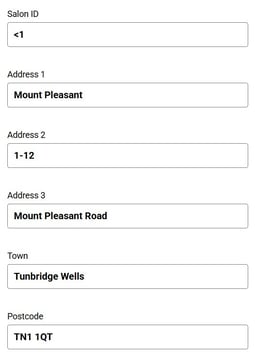
All boxes must be completed, if required replicate your town in address box 3. Once complete click "Save"
Once complete, the next step is to scroll down the menu under Salon Settings and select Salon Spy.
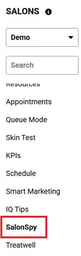
You will need to select "Onboard Salon" from the available options.

This will then generate a message "Message: OK"
The final action is to activate the Salon Spy SMS, to do this:
Main Menu > Intelligent Marketing > Automation > Custom
Search for the option "Salon Spy" and click on it.

You will need to active the toggle at the top right corner to switch on the SMS.
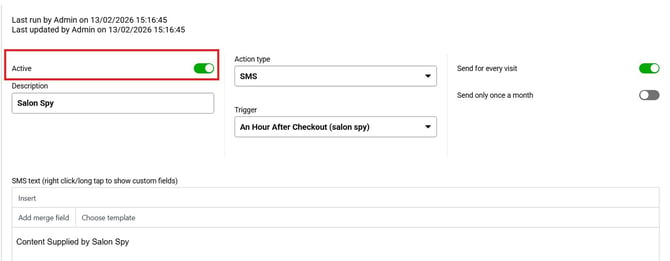
Once complete, please press "Save"
To view client reviews:
Main Menu > Intelligent Marketing > Client Feedback
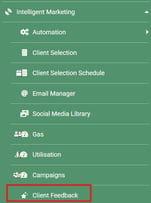
Enter the date range of the reviews you wish to load.
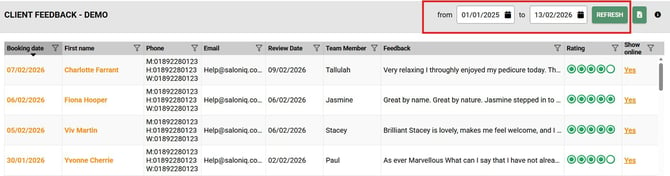
You can click on each client and the review the client processed will load.
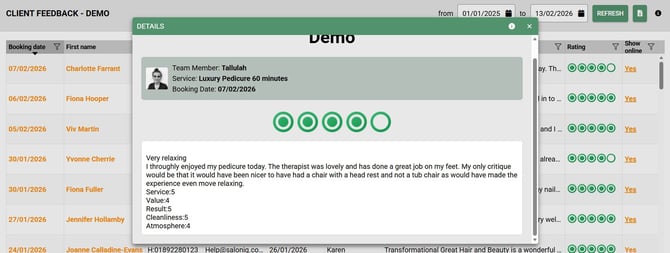
You can choose to publish the reviews on the Online Booking Portal Reviews section or choose to hide them by selecting Yes or No option to "Show Online"
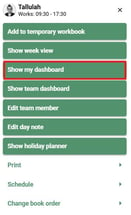
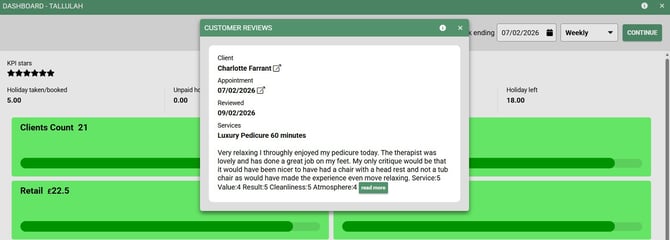
Team Members can also view reviews left by clients, click on the team member name of the appointment screen and select "Show My Dashboard"
You can edit the date range for the review left by changing the date option on the top right.
By clicking on "Client Feedback" this will load the reviews left within the specified date range
Salon Spy Dashboard
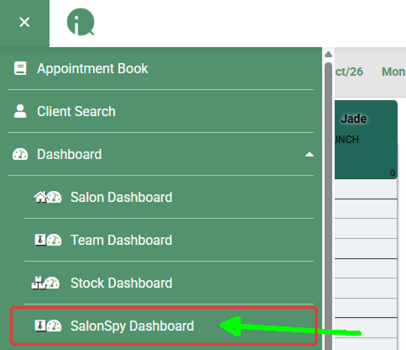
The SalonSpy Dashboard has been added under Dashboards. It shows all of your salon’s SalonSpy reviews in one place, and lets you respond to reviews and log in to SalonSpy directly from SalonIQ.
Opening the SalonSpy Dashboard
Step 1: Open the menu and click Dashboard.
Step 2: Select SalonSpy Dashboard.
Viewing your reviews
The dashboard lists every SalonSpy review for the salon, with the total number of reviews shown at the top. For each review you can see the date and time, reviewer name, rating, team member, whether the review is verified, and whether it has been responded to.
Responding to a review
Step 1: Find the review you want to respond to.
Step 2: Click Reply in the Reply within salonspy column.
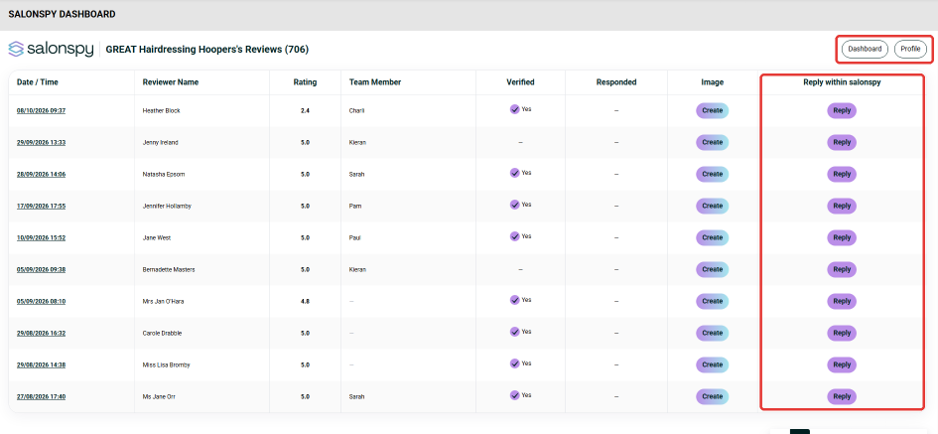
To log into Salon Spy use the Dashboard and Profile buttons at the top right of the page to log in to SalonSpy from SalonIQ.
If you need any further guidance with your private policy please call us on 01892 280 123 or email help@saloniq.com