![SALONIQ_Logo-High-Res_darkbg (1) (1).png]](https://faq.saloniq.com/hs-fs/hubfs/SALONIQ_Logo-High-Res_darkbg%20(1)%20(1).png?width=141&height=79&name=SALONIQ_Logo-High-Res_darkbg%20(1)%20(1).png)
Client selection is a great way to search for clients that meet certain criterias.
Whether that is your 'best clients' or clients that haven't visited recently and you wish to send them an offer.
Various filters can be used to pinpoint a specific group of clients.
For a list of Filters available click here Filters
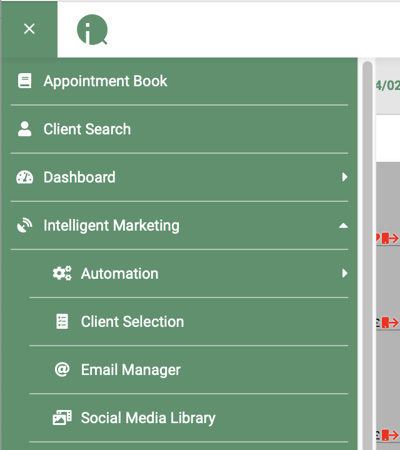
To find Client Selections you need to navigate to:
Menu > Intelligent Marketing > Client Selection
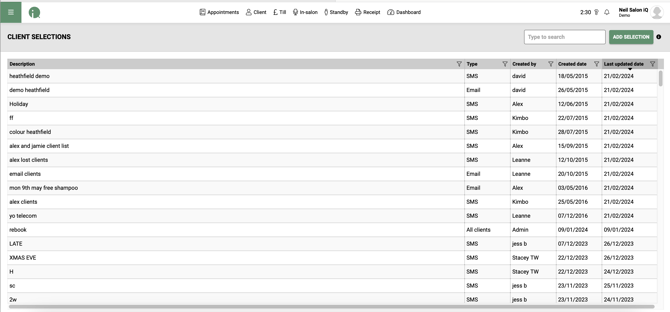
Choose an existing Selection or click ADD SELECTION to create a new one then BLANK TEMPLATE
Enter a description for the search and choose whether it will be via SMS or Email.
Then click or drag the required filter on the right onto the page. Then click the filter to set its parameters.
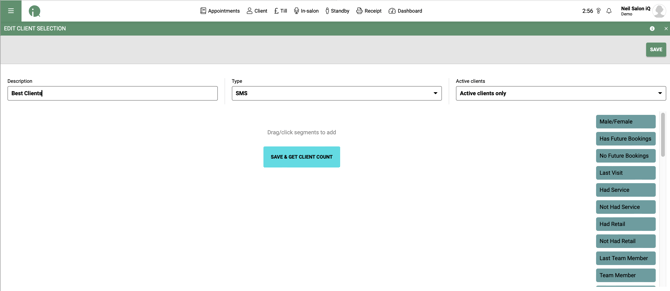
Once you have chosen the required Filters press  to run the search. Then
 .
This will display all the clients that the search has found. You can click  to remove that client from this list before clicking
 or
 to allow you to create a message to send to all the clients utilising Mergefields.
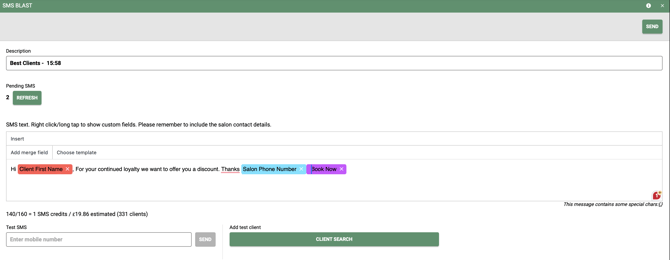
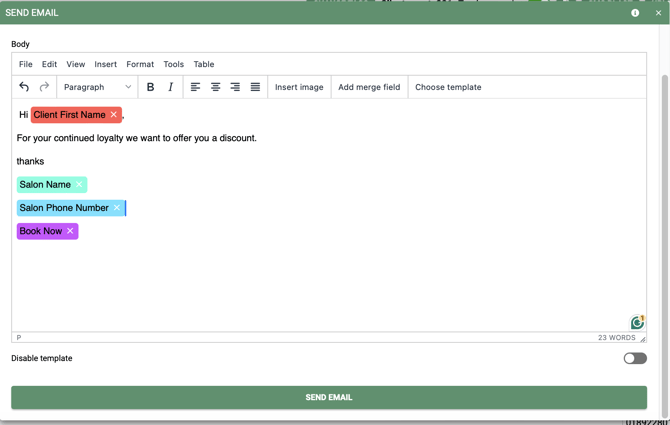
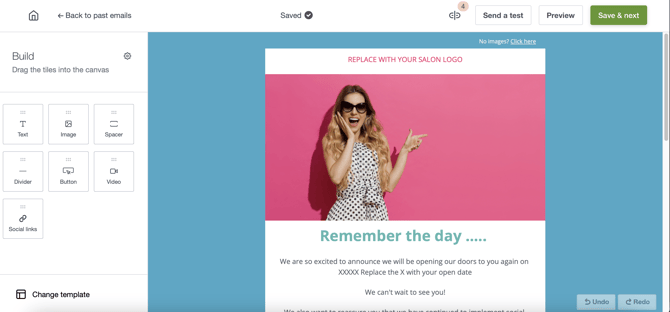
The  will send a basic email. If you want to create an email that can have URL links embedded, videos and be able to track click rates, bounce rates, alow clients to unsubscribe then i would use
 to send them from Email Manager.
Alternatively you can press  to export the list of clients in an Excel file where you can copy their email addresses into an external email program or upload them into the MailChimp email program.
Filters
 - Choose all record cards that are marked with stated genders
 - All clients that have selected services booked in a stated timeframe.
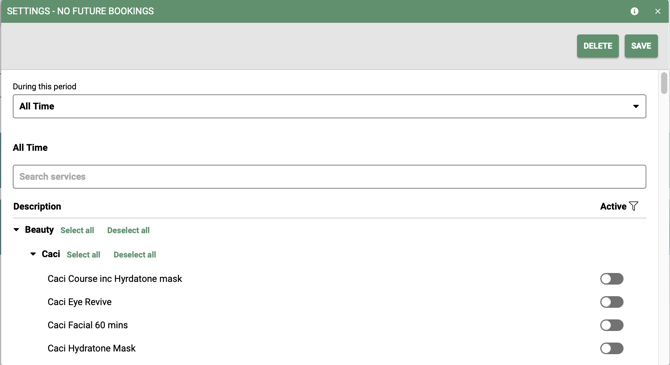
 - Clients that DO NOT have selected services in a specified timeframe.
 - Clients with a last visit in a stated timeframe
 - Clients that had a specified service in a stated timeframe.
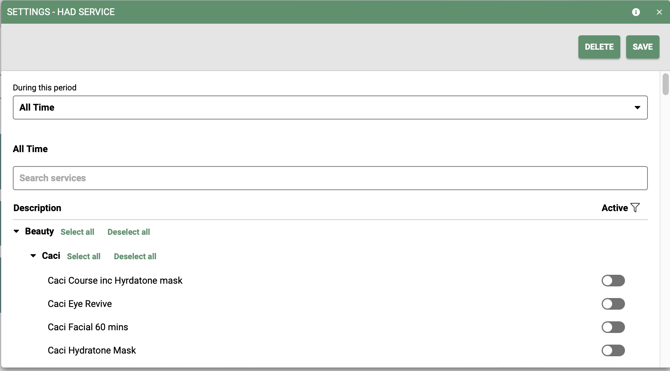
 - Clients that have NOT had a specified service in a stated timeframe.
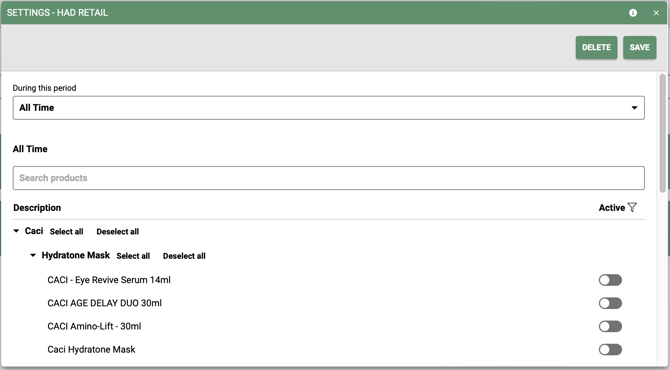
 - Clients that have bought specified products in a stated timeframe.
 - Clients that did NOT purchase a stated product in a specified timeframe.
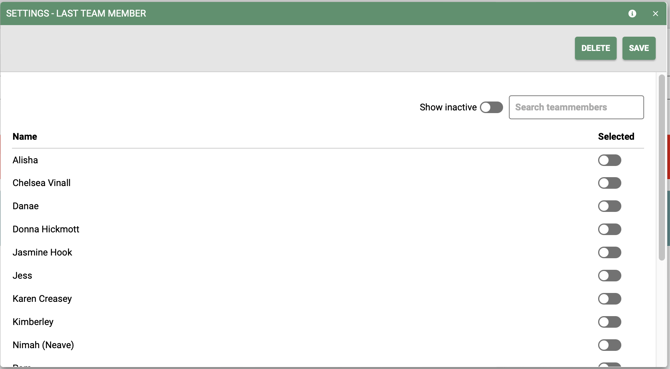
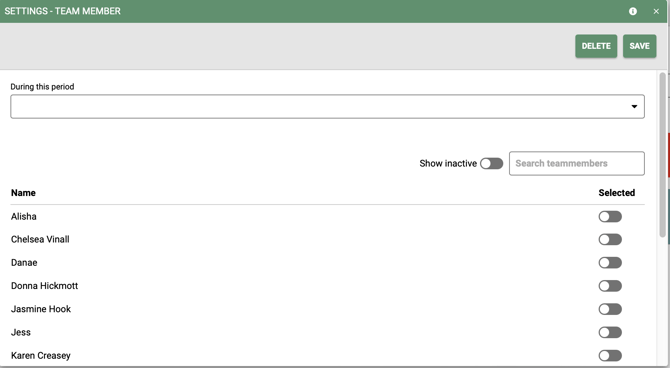
 - The specified clients whos last bill was with the stated team member/s. We can also now choose inactive team members.
 - All clients that saw the specified team members in the stated timeframes.
 - All clients that had visits in the chosen salon
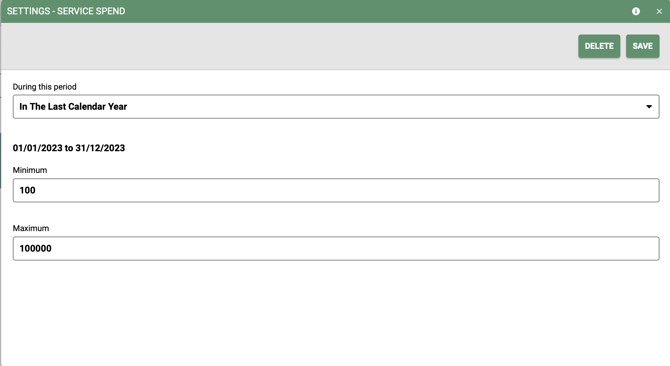
 - Clients that spent from £x to £y in a stated timeframe
 - Clients that spent between £x and £y in a specified timeframe.
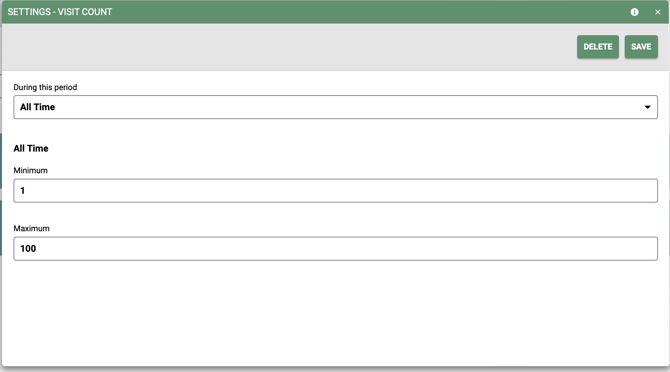
 - Clients that have visited from and too a set number of times in a specified timeframe.
Pre-loaded selections
There are also a number of pre-loaded searches you can use.
Main Menu > Intelligent Marketing > Client Selections > Add Selection
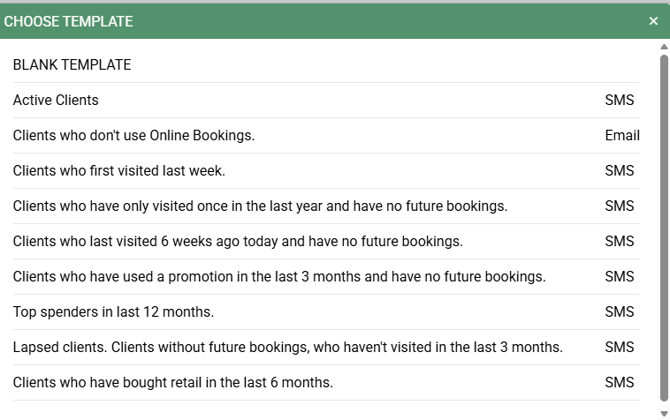
Examples for each of the searches and how to utilise.
- Blank Template - A fully customised search (bespoke marketing)
- Active Clients - All live clients on the data base, use this for salon wide marketing such as news letters
- Clients who don't use Online Bookings - Create a email or SMS blast to your clients who do not currently use online bookings. Add the unique selling points of Online Bookings, the quickness and ease! Add your Online Bookings link to the email.
- Clients who first visited last week - Send out a follow up email, making sure all is ok, also a great opportunity to introduce Recommend A Friend promotions, Online Bookings and social media links (Facebook, Instragram, X)
- Clients who have only visited in once the last year and have no future bookings - This is a great opportunity to reach out to clients who have only visited once in the last 12 months, maybe a promotion or a free treatment in your email could tempt them back!
- Clients who last visited 6 weeks ago today and have no future bookings - Great to use if you have a last minute cancellation, a quick SMS blast to these clients advising you have availability.
- Clients who have used a promotion in the last 3 months and have no future bookings - Sometimes even a small gesture is enough to tempt clients in. A short SMS or Email blast to these clients offering a free or reduced treatment could make the difference.
- Top Spenders in the last 12 months - Every one likes to feel special, why not reach out to your top spenders and thank them for their loyalty - maybe a special offer!
- Lapsed clients. Clients without future bookings, who haven't visited in the last 3 months - This is a great opportunity to reach out to lost clients, promote Online Bookings and availability you have.
- Clients who have bought retail in the last 6 months - Launching a new product range? having a retail promotion? this search is great way to contact clients with retail history.
Remember, each of these selections can be customised further for individual team member, salon location to really get the most out of client searches. For example, you may want to select a individual team member to the Lapsed clients. Clients without future bookings, who haven't visited in the last 3 months selection.